
Ask three developers what a custom business application costs and you will get three very different answers. None of them is necessarily wrong. The price depends far less on how big the application looks than on how well the process behind it is understood, and on how many exceptions that process hides.
If you are a business owner trying to budget for your first custom system, this is a guide to what actually moves the number, and how to avoid paying for surprises.
Why a single number is usually a bad sign
When someone quotes a flat price after a ten-minute conversation, one of two things is happening. Either they are pricing a template and will charge extra the moment your business turns out to be different, or they are padding the quote to cover everything they have not yet learned about your process.
A trustworthy estimate comes after the work of understanding your process, not before it. That is why the most useful thing a developer can show you early is not a proposal but something you can click through.
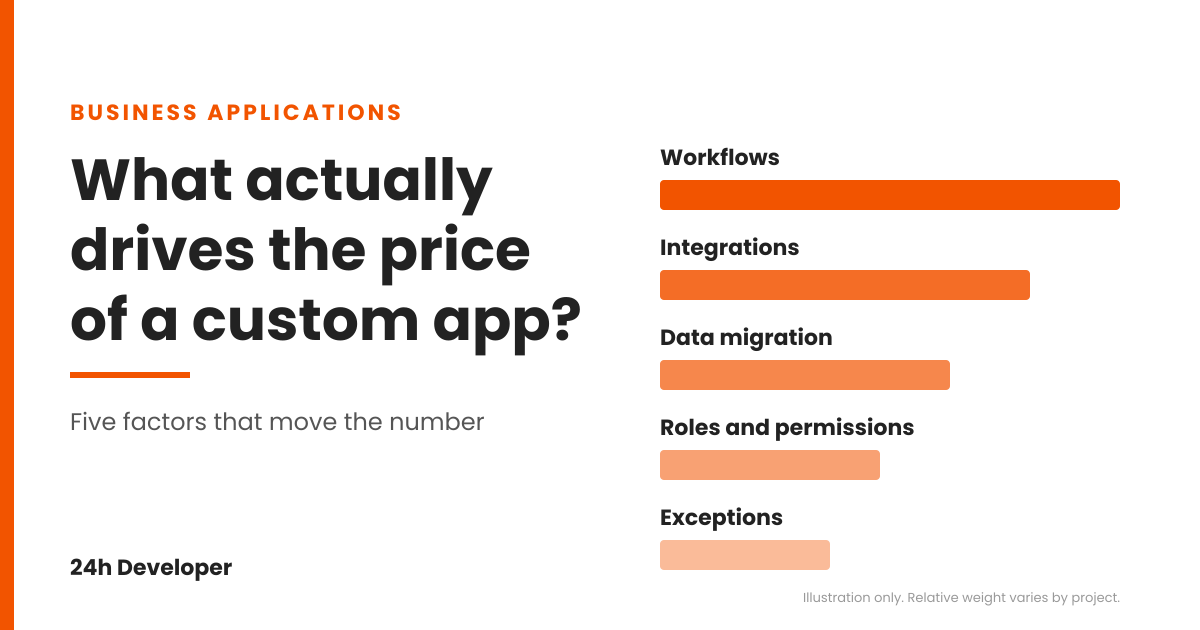
Five things that drive the price of a custom business application
1. The number of distinct workflows. A system that tracks orders from quote to invoice is one workflow. Add returns, a separate approval path for large orders, and a supplier side, and you have four. Each workflow has its own screens, statuses, rules and tests. Counting workflows is the single best predictor of effort.
2. Integrations with tools you already use. Connecting to accounting software, a payment provider or a courier service is rarely as simple as it sounds. Each connection has its own data formats, its own failure modes, and its own rules about what happens when something goes wrong halfway.
3. Data migration. Moving years of customer and order history out of spreadsheets means cleaning it first. Duplicate customers, inconsistent product names and half-filled columns are normal. The cleaning is often more work than the import.
4. Roles and permissions. Who may see which customer? Who may change a price? Who may only view? A system where everyone sees everything is cheap to build and expensive to live with. Getting access rules right takes deliberate design.
5. Exceptions. The textbook version of your process fits in one paragraph. The real one includes the partial cancellation, the failed payment, the customer who orders on behalf of three subsidiaries. Every exception you handle properly adds to the price, and every exception you skip comes back later as a manual workaround.
What matters less than you think
Owners often worry about the number of screens or how polished the design is. Both matter, but far less than the five items above. A plain, well-structured screen costs little. A single unusual business rule hidden behind it can cost more than the whole interface.
Where the hidden costs live
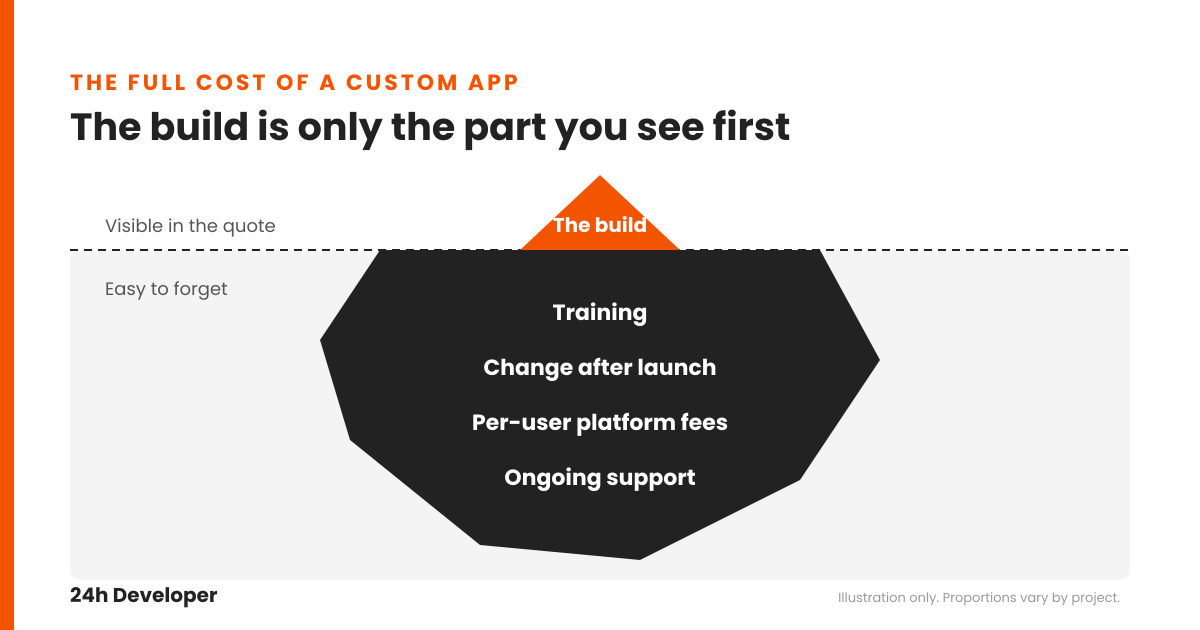
The build is rarely the whole bill. Plan for three further items from the start:
- Training. A system nobody knows how to use saves nobody any time. Budget for sessions with the people who will use it daily.
- Change. Your process will change in the first months of real use. That is not a failure of planning, it is what happens when people finally work in a real system. Expect a period of adjustments.
- Running costs. Most modern platforms charge per user per month, and ongoing support is a separate matter from the original build. Ask for both numbers separately, so you always know what you pay for and to whom.
How to get a price you can trust
Three habits will protect your budget:
- See something working before you commit. A prototype built from a short conversation reveals the questions a written specification never does.
- Ask for the scope in writing, in terms of workflows, integrations and data. If a quote does not mention them, it is guessing.
- Ask what is not included. The answer tells you where the extra invoices will come from.
A practical first step
If you have a process that runs on spreadsheets, email and good intentions, the cheapest way to learn what a system for it would cost is to see a working version of it first. At 24hDeveloper we build a prototype within 24 hours of a short conversation, so you can test it with your real process for up to 14 days and then decide, with real information, whether to build the full system or walk away.
Describe the process that slows your team down most, and we will start from there.
