
Sooner or later, every growing company asks the same question: do we buy a CRM, or build something around the way we actually work? The CRM vs custom application decision looks technical, but it is really a question about your process. Choose badly and you either fight the software every day or pay for features you will never touch.
I have seen both outcomes over thirty years of working with business systems, first as a CIO and then running my own company implementing CRM. Here is how I would think about it today.
What a ready-made CRM does well
A good CRM is a mature product. Contacts, deals, tasks, email history and reports all work on day one, and thousands of other companies have already found the rough edges for you. If your sales process looks like most sales processes, a lead becomes an opportunity, an opportunity becomes an offer, an offer becomes an order, then a CRM is usually the faster and safer choice.
It also removes a risk people forget about: you do not have to decide what the system should do before you start. The product already has an opinion.
Where a CRM starts to hurt
The trouble begins when your business has steps the product never imagined. A few signals I look for:
- Your team keeps a side spreadsheet next to the CRM, because some information has no proper place in it.
- Staff enter the same data twice, once in the CRM and once in an order, rental or production tool.
- The real process lives in people’s heads, and the CRM only records the outcome afterwards.
- Every new requirement turns into a workaround, then a workaround for the workaround.
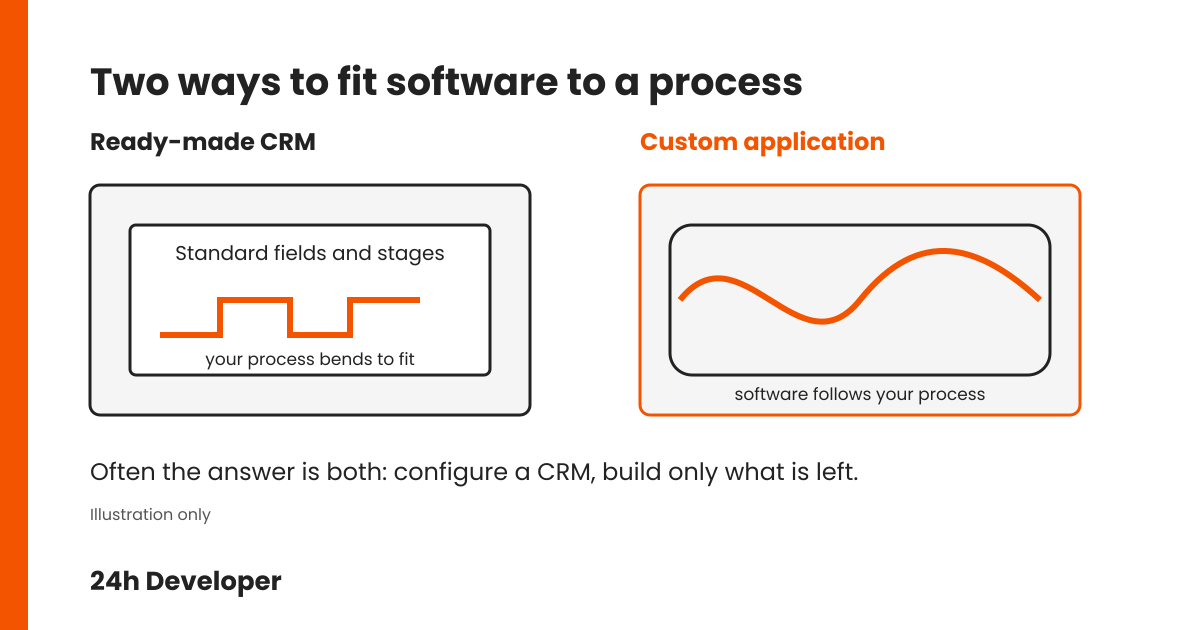
None of these means the CRM is bad. It means the tool is shaped around a general process, and yours is specific. If this sounds familiar, our article on the signs your business has outgrown Excel describes the same pattern one level earlier.
When a custom application earns its place
A custom application makes sense when the process itself is what makes your company different. A manufacturer tracking materials through several production stages, a rental business juggling availability and deposits, a moving company planning crews and vehicles: none of them is really a “contact and deal” problem. Forcing such work into a standard CRM produces a system people tolerate rather than use.
The old objection was cost and time. That has changed, because a working prototype can now be built in days, not months. If you are curious how that works in practice, read what you actually get in a 24-hour prototype. For the money side, see the factors that decide the price of a custom business application.
Five questions to settle the CRM vs custom application choice
Before you compare products or quotes, answer these honestly, ideally with the people who do the daily work:
- Could you describe your core process on one page, and would a stranger recognise it as a standard sales process?
- How many things do you track that are not customers or deals, such as stock, jobs, bookings, or batches?
- How often do people leave the system to finish the work somewhere else?
- Who will change the system in a year, when your process has moved on?
- What does it cost you today when information is missing or wrong?
If most answers point to a standard process, buy a CRM and configure it well. If the answers keep circling around things a CRM does not model, you are looking at a custom application, or at least a serious extension.
The middle path: configure first, build what remains
It is rarely all or nothing. Many companies do best with a CRM for what it handles well and a small, purpose-built application for the part that is truly theirs, connected so that nobody types anything twice. Modern low-code platforms make this much cheaper than it used to be, because you build on a solid foundation instead of from a blank page.
Whichever way you lean, start small. Pick one process that hurts, make it work properly, and let the team test it on real data before you commit to anything larger.
How to take the next step
If you are not sure which side of the line your company falls on, the simplest way to find out is to talk it through. Tell me how your process works today, and within 24 hours you can have a working prototype to click through. Then you get 14 days of testing, and only after that do you decide whether to go further. You will know far more about the answer than any comparison table could tell you.
