
Every morning the same scene repeats in many small wholesale firms: a dozen emails with orders, a few voicemails, a spreadsheet open next to the inbox, and someone retyping it all into the system before the warehouse can start picking. If you have 20 to 30 regular clients, the obvious question is whether a customer portal for wholesalers is worth building, or whether it is a toy for companies with thousands of buyers.
In our experience the answer is neither “always” nor “never”. It depends on a few things you can check in an afternoon.
Why a customer portal for wholesalers suits 20-30 clients
A large retailer needs a portal because it cannot talk to everyone. A firm with 20-30 stable clients has the opposite situation: you know each buyer, and they know your product range. That is exactly why a portal can work well. These clients order the same items again and again, so a simple “repeat last order” button can replace most of the emails and calls.
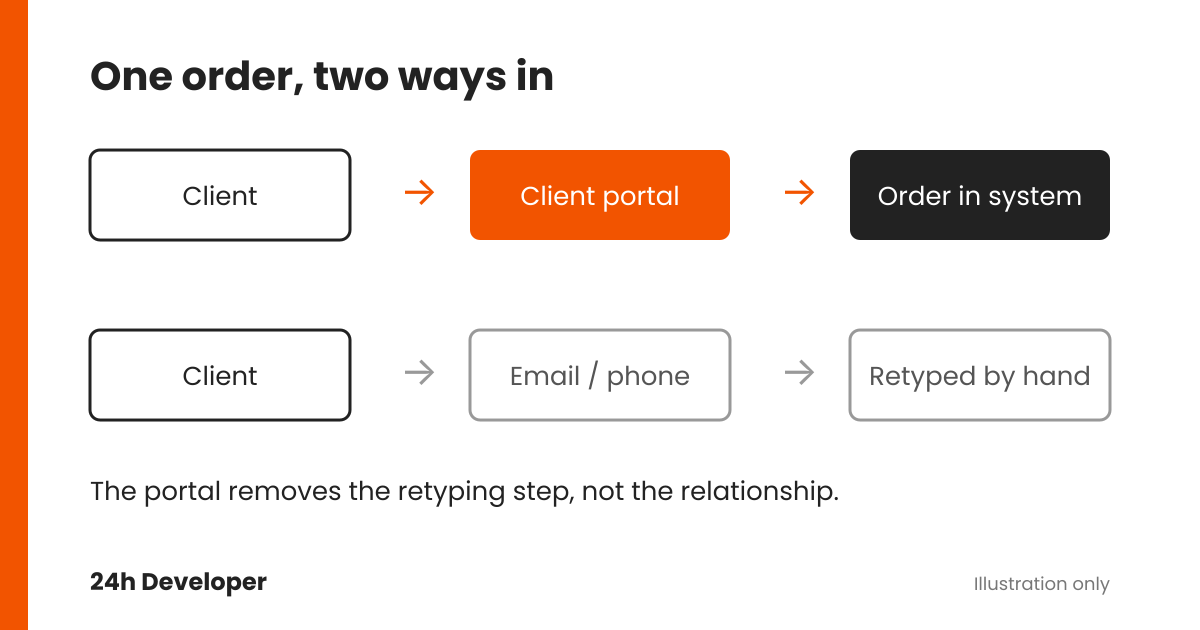
The portal does not replace the relationship. It removes the retyping, the “what was the price again?” calls, and the “where is the delivery?” questions that eat the time of the people who should be selling.
The numbers worth checking first
Before anyone writes a line of code, count a few things for one typical month:
- How many orders arrive by email or phone, and how long does it take to enter one into the system?
- How many calls and messages are only about prices, availability or order status?
- How many errors, such as wrong quantity, wrong price or a forgotten item, reach the client or the warehouse?
- How many of your clients order repeatedly, with similar baskets?
If entering orders and answering status questions takes a person a large part of the week, a portal has a clear job to do. If clients order twice a year, it probably does not. We described a similar starting point in our article on replacing Excel with an offers and orders system for a small B2B distributor.
What a useful portal contains (and what it does not)
A common mistake is to copy a consumer web shop. For 20-30 business clients, a short list of functions is usually enough:
- a login for each client, with only their own prices and conditions visible
- the product list with current availability
- a “repeat previous order” function and simple order editing
- order status and history, including documents such as invoices
- a place for questions, so they do not get lost in email
Online payments, loyalty points and advertising banners are usually not needed. Every extra feature is something to build, test and maintain, so keep the first version small.
Where portals fail
Technology is rarely the problem. A portal fails when the data behind it is not reliable. If prices live in three spreadsheets and stock levels are updated once a week, the portal will publish those mistakes faster than email ever did. Fix the order and price data first. This is also why the portal should be part of one system, with the orders flowing straight into the same place your team already works, rather than a separate island that someone has to copy from.
The second risk is adoption. Talk to your five biggest clients before building anything. Ask what they would like to see, and keep email as a fallback in the first months. Most clients switch when the portal is clearly faster than writing a message.
How to decide without a long project
A portal does not have to be a multi-month undertaking. With a low-code platform, a working prototype can be ready quickly, and you can let two or three friendly clients try it before you commit. We explain how that works in our step-by-step order management rollout, and what to expect on budget in our guide to what a custom business application really costs.
A simple rule of thumb: if your team spends hours every week on order entry and status questions, and your clients buy repeatedly, a portal will most likely pay for itself in time saved and fewer mistakes. If not, improve the internal process first.
Next step
If you are unsure which side of that line your company is on, describe your order process to us. We can build a working prototype within 24 hours, and then you test it for 14 days with your own data before deciding on anything further.
